
Wissam Antoun
Thursday, March 19, 2026 | 3 minutes
SlurmTUI: A Terminal UI for Managing Slurm Jobs
During my PhD, I spent a lot of time running experiments on large HPC clusters, we’re talking thousands of GPU and CPU nodes, massive hyperparameter sweeps, and job arrays that would balloon into hundreds of entries in the queue. If you’ve ever had to babysit Slurm jobs by repeatedly typing squeue -u $USER and squinting at the output, you know the pain.
The existing options were either too barebones (raw Slurm commands) or too heavy (web-based dashboards that the cluster admins may or may not have set up). I wanted something I could just SSH into any login node and run immediately, so I built SlurmTUI.
What is it?
SlurmTUI is a terminal user interface for monitoring and managing Slurm jobs. Instead of running squeue, sacct, and scancel over and over, you get a live-updating table of your jobs with colors, sorting, filtering, and a bunch of shortcuts to do things like tail logs, SSH into nodes, or delete jobs, all without leaving the TUI.
It’s built with Python using Textual and Rich, so it looks pretty good for a terminal app and installs with a simple pip install slurmtui.
Features
Live Job Table
The main view auto-refreshes every few seconds, showing all your user jobs with colored states (green for running, red for failed, etc.). Filter jobs by account, partition, or any column when you have hundreds of jobs in the queue.
Note: To view all users’ jobs, launch with slurmtui --check_all_jobs or filter by account with slurmtui --acc my_account1,my_account2.
Additional features include:
- Tail Logs: Press
Lfor stdout,Efor stderr, directly from the TUI. You can configure it to usetail -f,less, or any command you want. YOu can also configure secondary text viewers which can be actiavted withCtrl+LandCtrl+E. - SSH into Nodes: Press
Cto SSH into the node where your job is running. No more copy-pasting node names. - Delete Jobs: Press
Dto delete a job with confirmation. Works with array jobs too. - View Job Info: Press
Ito see detailed job info.
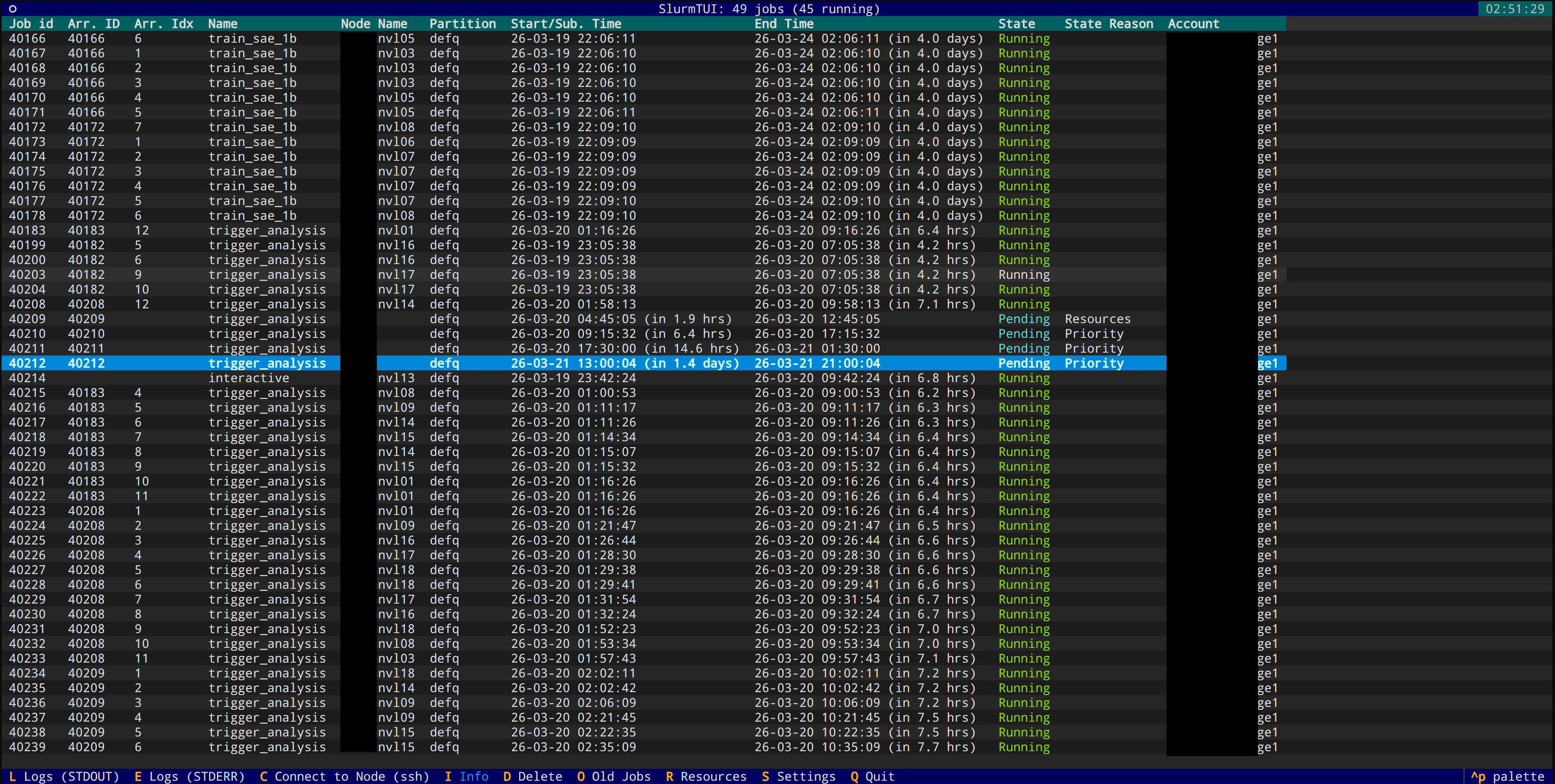
Old Jobs History
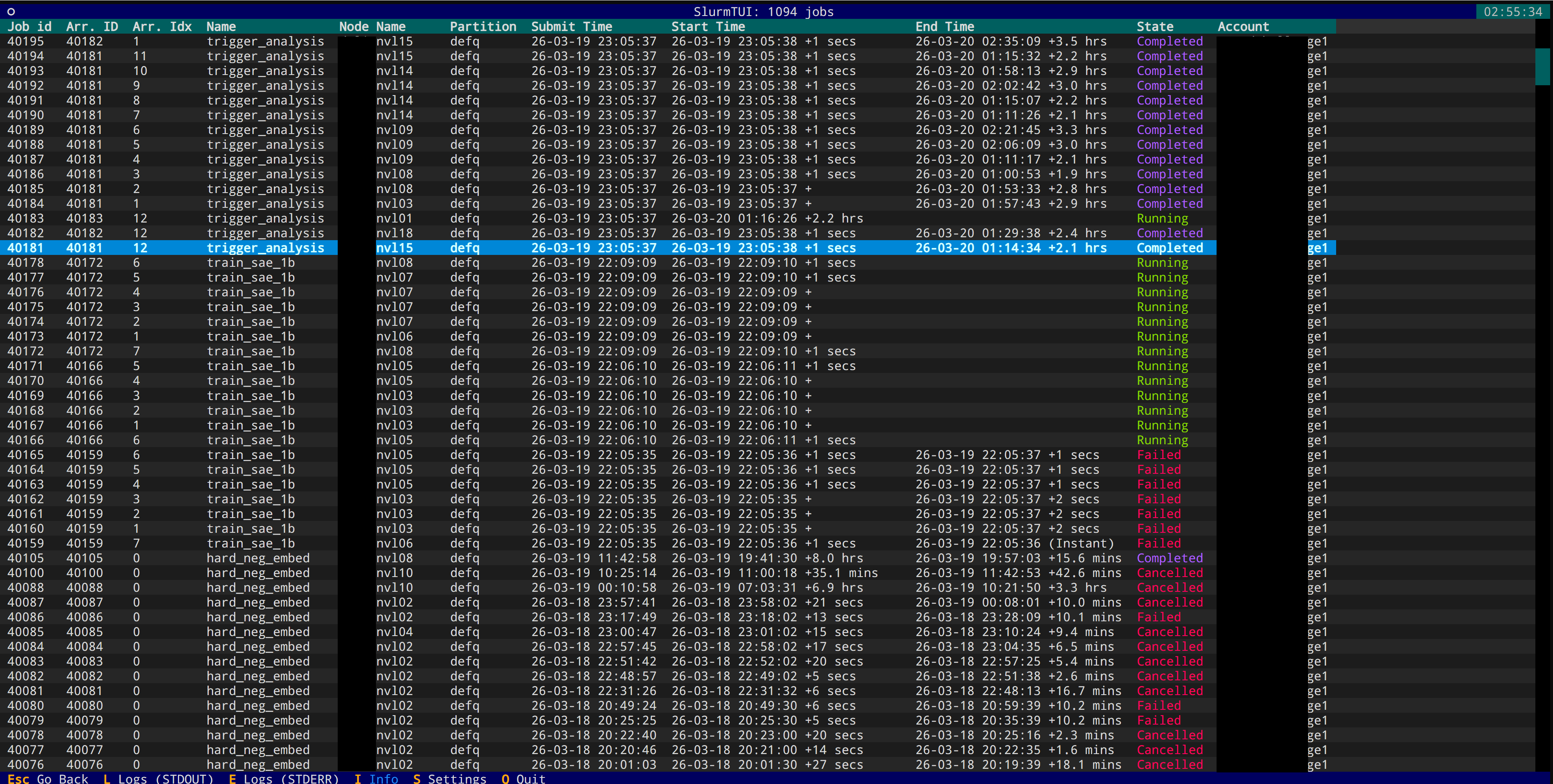
View completed/failed job history via sacct (needs Slurm 24.05+). Press O to toggle.
Hardware Resources View
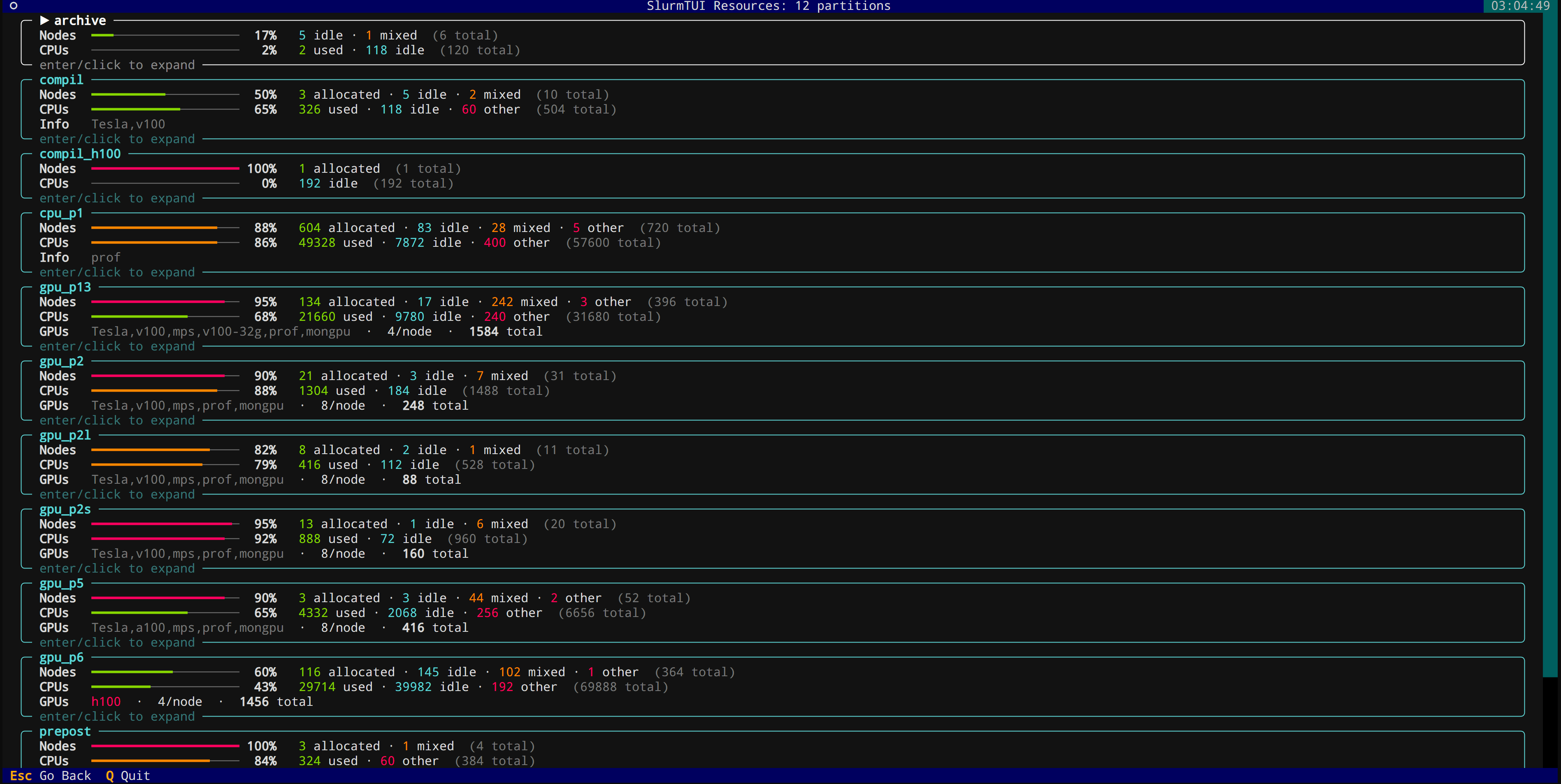
See node allocation and availability across the cluster instead of squinting at sinfo output. Press R to open.
Persistent Settings
All your preferences are stored in ~/.config/slurmtui/settings.json, so they persist across sessions.
The keybindings are straightforward, L for logs, D for delete, C for connect, I for job info, O for old jobs, R for resources. No need to memorize anything complicated.
Installation
pip install slurmtui
Then just run slurmtui (or the shorter aliases slurmui / sui).
You can filter by account at launch:
slurmtui --acc my_account1,my_account2
View all users’ jobs:
slurmtui --check_all_jobs
Or pass extra squeue arguments:
slurmtui -- --partition=gpu
Closing thoughts
This started as a quick script to make my own life easier and grew into something that other people on the cluster started using too. It’s not trying to replace a full cluster management tool, it’s just a lightweight way to keep track of your jobs without context-switching away from the terminal.
The code is on GitHub under MIT license. If you spend your days staring at Slurm queues, give it a try, and a star on GitHub would be much appreciated! If you have any feature requests or want to contribute, the repo is open for PRs. Happy job managing!